Raiverb has been updated to version 1.1.5, with new important features:
Translatepedia is here!
The translatepedia is a new research and learning initiative. You can now choose to publish the content you translate publicly. Unaltered translations will be made available for everyone to review and evaluate. Sharing servers are free, users will receive complimentary Characters they can use on other servers.
To send your translations over to the Transpedia, you simply need to use any server labeled Share (there should only be one for now). That’s it! The Transpedia will be available here. (may remain unavailable for a few days, but submissions are taken into account).
Servers Now Clarified
With the new sharing feature enabled, it seemed important to clarify the purpose of different existing servers. You can now access to more details through a new Info button. The Info button will give you access to more information and the specific use conditions of different servers. This will help clarify which server is intended for what purpose.
New WYSIWYG Split Screen
The WYSIWYG Editor has received a few new updates. – Dual Screen Mode: You can now split the screen into 2 editors, which can be useful to review two languages at the same time.
– Sticky Scroll Mode: You can now lock the scrolling in all input boxes at the same time, making it easier to work with. The Sticky Scroll can be toggled on and off.
Full Json Support
You can now import and export JSON files. You can export to a custom JSON format of your choice regardless of the import format as well. More flexible import options will be made available in a later update.
Tokens renamed Characters
Using the term Tokens to quantify Translations Units, while the main metric was [i]characters[/i] was confusing. This is why Tokens have been renamed as Characters. Characters will now signify the measure of Translation Units. As a reminder, the following elements are taken into account for determining the Characters in a Translation Unit: the source text, the global comment, the current unit comment, the string ID, the alternate language, and the characters limit.
Bug fixes:
In the importer, the Get Length option will now display the length in the right column.
Docx documents will now support tables correctly.
The spreadsheets importer has been improved and some bugs have been corrected.
Raiverb has been updated to version (Raiverb 1.1.4), with a few new features.
The Hugely Important Feature:
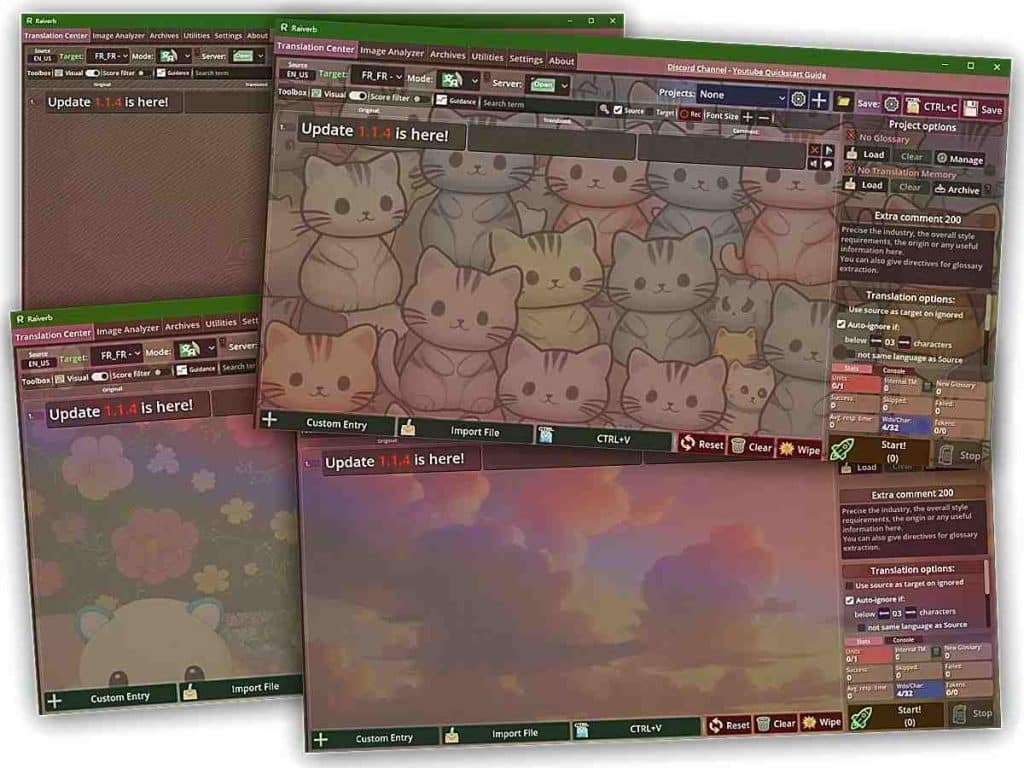
Custom Background
You can now customize the background of the application, and can pick from cute kitties, whimsical clouds, abandoned temples and of course Wawa United™ themed backgrounds. We firmly believe this is a huge step in the right direction for the constant innovation in the field of computed-assisted translation.
More seriously, on to other features:
Subtitles Support
– SRT and ASS subtitle formats are now supported. You can import both formats and have them translated and saved. This comes with a few upgrades that will benefit other formats as well: – You can now chose to get the Character Length as an option in the Imported interface. What this means is that you’ll be able to tell Raiverb to limit the character length of a translation to less or more than the source length. This is enabled by default for subtitles.
Important note: currently, Raiverb has a Context feature, which can be toggled for processing long-form content (articles, novels, or subtitles), where context comes from the semantics of the content, therefore where Translation Memories may not be relevant. This Context feature extracts the content around the previous and next Translation Units. This works well, but this approach is not entirely satisfying. Moreover, it is a very resource-consuming feature. A more specific and efficient approach for long-form text is being worked on. This hopefully will be deployed in the next update.
Delimiters Support for CSV and Clipboard content
– CSV and clipboard-imported content now get a delimiter option. What this means is that CSV and clipboard formats are now more flexible and better supported.
If you don’t know what this means, here’s a short explanation: When you save a file into .csv or when you do CTRL+C on a spreadsheet, the same thing happens: your sheet is converted into plain text, and the way the computer knows how to split this text into a grid, is with the use of delimiters. We have one delimiter for the rows, and one delimiter for the columns. That’s how you can copy and paste sheets from one software to another. Now, the catch is: not all software use the same delimiters. Previously, Raiverb assumed the clipboard would use \n, which means line break, and \t, which means increment. That’s the most common case, but that’s not the only one, and that is why now you have the choice.
Single Unit Mode
It is now possible to translate a single Unit. The toolbox at the right of each Translation Unit now shows a button:
Allowing you to translate the Translation Unit. You can also re-translate the Unit, if you think the translation could use an alternative. The Translate button replaces the WYSIWYG button, that was not really useful since the top Toolbox already provides a WYSIWYG toggle. Therefore, it has been replaced.
Batch processing will skip a Unit that has been translated.
Here is a list of known issues collected from feedback, a fix will be posted at a later date:
When saving a XLSX document, the “Prompt” option does not get printed even if the option is selected.
Upon pasting content from the clipboard, the message “⚠Sorry, couldn’t find content to extract in this file…” may appear erroneously before the content gets displayed, instead of a waiting prompt. This leads users to falsely believe importing content has failed, when it is still loading in the background.
In the Translation Unit Info dialog, the language type does not get displayed properly.
Some glossary matches are not properly displayed in the WYSIWYG Editor.
Raiverb has been bumped to version 1.1, which is a feature-packed update:
New Feature: Offline LQA
A new LQA tool is now available in the Translation Center. It will allow you to perform meta-linguistic checks on your text.
You can now import a source and target, then check for:
Inconsistencies in the glossary.
Inconsistencies in Translation Memory matches. You can chose to only verify perfect matches or to print warnings if a match in Translation Memory seems to differ too much from your translation. Inconsistencies in numerals and locale (are the numbers consistent, do they correspond to the chosen target language/culture variant). Check if the target language corresponds to the translation. Check the correspondence of tags (html tags or BBcode).
To run an LQA job, simply chose the LQA option under “Mode” and run your job just like you would do for any other mode.
This new feature is entirely free and runs offline.
New Feature: WYSIWYG Editor
A WYSIWYG editor has been added to the Utilities panel. It will allow you to edit BBCode or HTML rich code visually without seeing all the tags. The idea was to facilitate editing or most likely reviewing text with a lot of tags and variables.
The editor will allow you to:
Visualize code or tags-heavy text in a more readable fashion while being able to edit the text
Capitalize or minimize a selection.
Remove or add tags on a selection easily.
Split a line by length or any delimiter you want.
Highlight glossary entries from the Translation Center.
Send your text to the Translation Center, or copy it.
Language detection is automatic.
Glossary Manager
The glossary manager has been revamped.
You can now see both imported entries and auto-extracted entries.
You can revise and accept auto-generated entries into the regular glossary (requires a project).
Language Detection
Language detection has been improved and languages have been added. It has also been optimized to run faster, making Raiverb faster overall. Matches have been improved for Slavic languages.
Translation Center:
You can now chose whether to fill in the source as a target in ignored units. CTRL+V is now supported for import.
Archive Manager:
A new toggle in the toolbox allows to display spaces and tabulations.
Bug Fixes:
Fixed several issues with spreadsheets export.
Fixes several issues with the Archives.
Resolved “ERROR_2” appearing more than it should.
Fixed an issue with matching algorithms for certain languages.
Fixed a large number of small bugs and issues.
Along with all these changes, the User Manual has been updated.
Due to some issues that needed to be sorted out first, the release of Raiverb had to be delayed a little bit. Well, the good news is we could finally get the thing rolling, and the software will release on Steam by April 9th, and hopefully the standalone version will release at the same time.
A little note about this: the Standalone version and the Steam version will be completely separate and the Raiverb accounts you create on the website will not be able to log onto the Steam client and vice versa.
Raiverb is translation productivity software that combines AI with traditional CAT software features, in order to produce accurate and context-aware translations for projects of any length. It enables in-app review and proofreading, supports image importing, and is compatible with all industry-standard formats.